Android
Exact alarms, ordered wake-up tasks, shrinking snooze, wake checks, and private on-device camera challenges.
 RiseReady
A SMART ALARM THAT STARTS SIMPLE
RiseReady works like a normal alarm until you ask for more. Add deliberate wake-up proof, a snooze that winds down, and clear delivery checks—without turning every morning into a puzzle.
In active development · public release coming soon
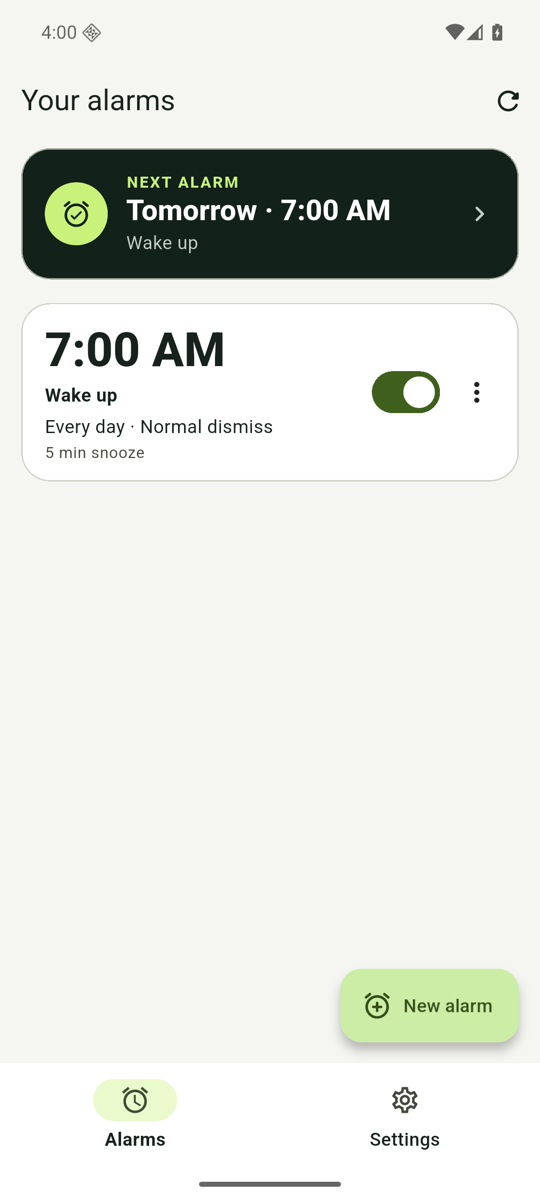
7:00Normal when you want.
Smarter when you need.
ONE MORNING, THREE DECISIONS
Every alarm begins with the familiar essentials. Advanced controls remain optional and understandable.
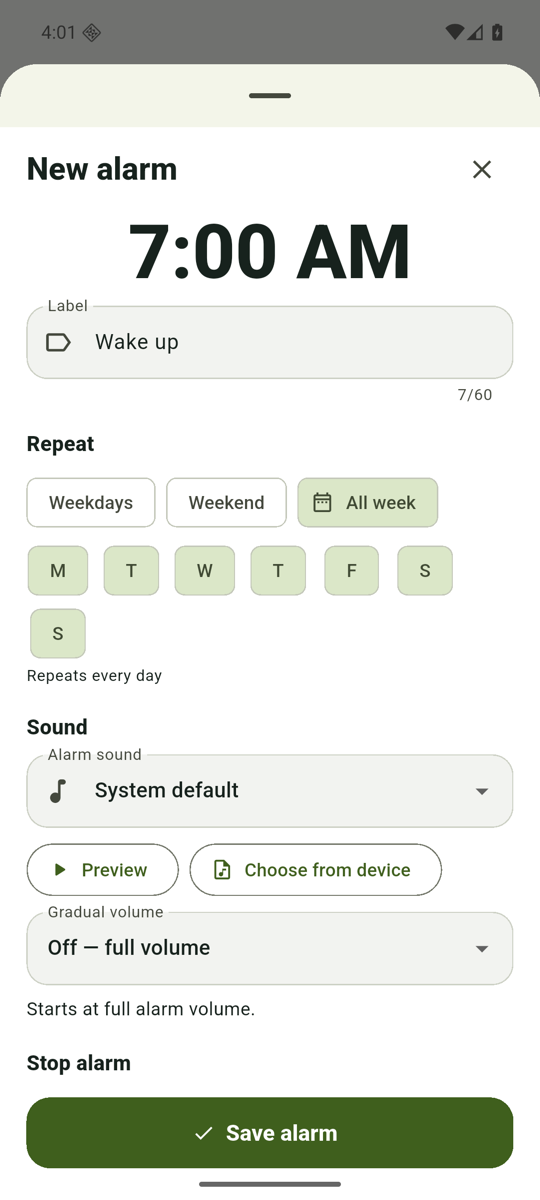
Choose a time, repeat days, and alarm sound. A normal alarm remains the default.
Stack optional math, memory, movement, light, or private gesture tasks in your preferred order.
Use a fixed snooze, a shrinking sequence, or no snooze—and check delivery readiness before bedtime.
DESIGNED FOR THE HALF-AWAKE VERSION OF YOU
The editor explains repeat days, sound, dismissal, and snooze in one readable flow. During ringing, the current task and next action stay obvious.
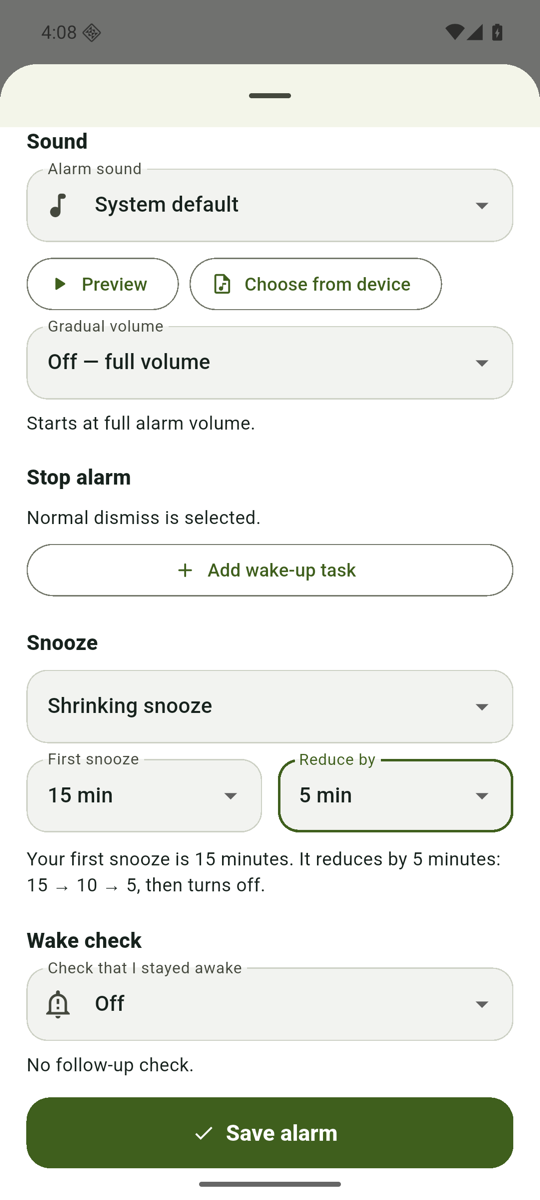
SHRINKING SNOOZE
Choose Off, a fixed 5, 8, 10, or 15 minutes, or a shrinking sequence with a five-minute final step.
RELIABILITY BEFORE NOVELTY
RiseReady surfaces permission, alarm-volume, battery, and lock-screen readiness instead of leaving failures hidden in phone settings.
Open the delivery checklistHONEST PLATFORM SUPPORT
Exact alarms, ordered wake-up tasks, shrinking snooze, wake checks, and private on-device camera challenges.
AlarmKit where supported, fixed snooze, imported sounds, and clear disclosure where Apple controls dismissal.
Core alarms do not require installed Google Mobile Services. A no-GMS emulator verified locked-screen delivery; Huawei's device-specific battery controls still need attention.
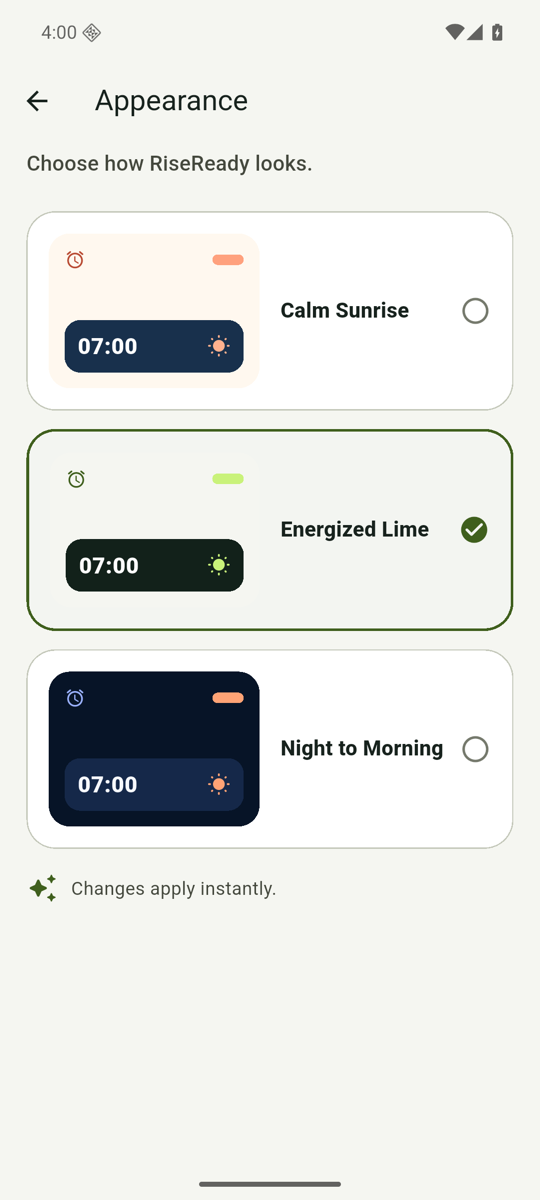
YOUR MORNING MOOD
Choose a calm light theme, energized lime, deep night, colorful Aurora Confetti, or futuristic Quantum Grid. Changes apply instantly across the app-owned experience.
BEFORE YOU SET THE FIRST ALARM
Not yet. RiseReady is in active development and does not have a verified public store listing. This site will link only to confirmed store pages when they exist.
Yes. Alarm scheduling, ringing, wake-up tasks, and imported sounds work on the phone. Face-task SDK diagnostics may use the network, and optional Firebase usage analytics or diagnostics use it only after you enable the corresponding setting.
No. Blink, wink, smile, and head-turn tasks classify the requested gesture on the device. RiseReady does not create a face identity profile or retain or transmit camera frames. The bundled Google ML Kit SDK may send technical diagnostics, which RiseReady discloses before requesting camera access.
Core Android alarms do not require installed Google Mobile Services, and the camera models are bundled. Locked-screen delivery has been tested in a no-GMS Android emulator; Huawei battery controls still vary by device and should be reviewed in RiseReady Settings.
RiseReady follows Apple’s alarm controls. On supported iOS versions it uses AlarmKit, but Apple’s system Stop action cannot be locked behind an app task. The app explains these limits instead of presenting controls it cannot enforce.
A CALMER ALARM. A REAL WAKE-UP.
RiseReady is being prepared for public release. The product information, privacy policy, and setup guidance are available now.